Backup jobs
Create and maintain scheduled VM backup jobs.
Before you begin
- Admin or Superadmin access to the project.
- VMs you want to protect are listed in the project.
Steps
- Open
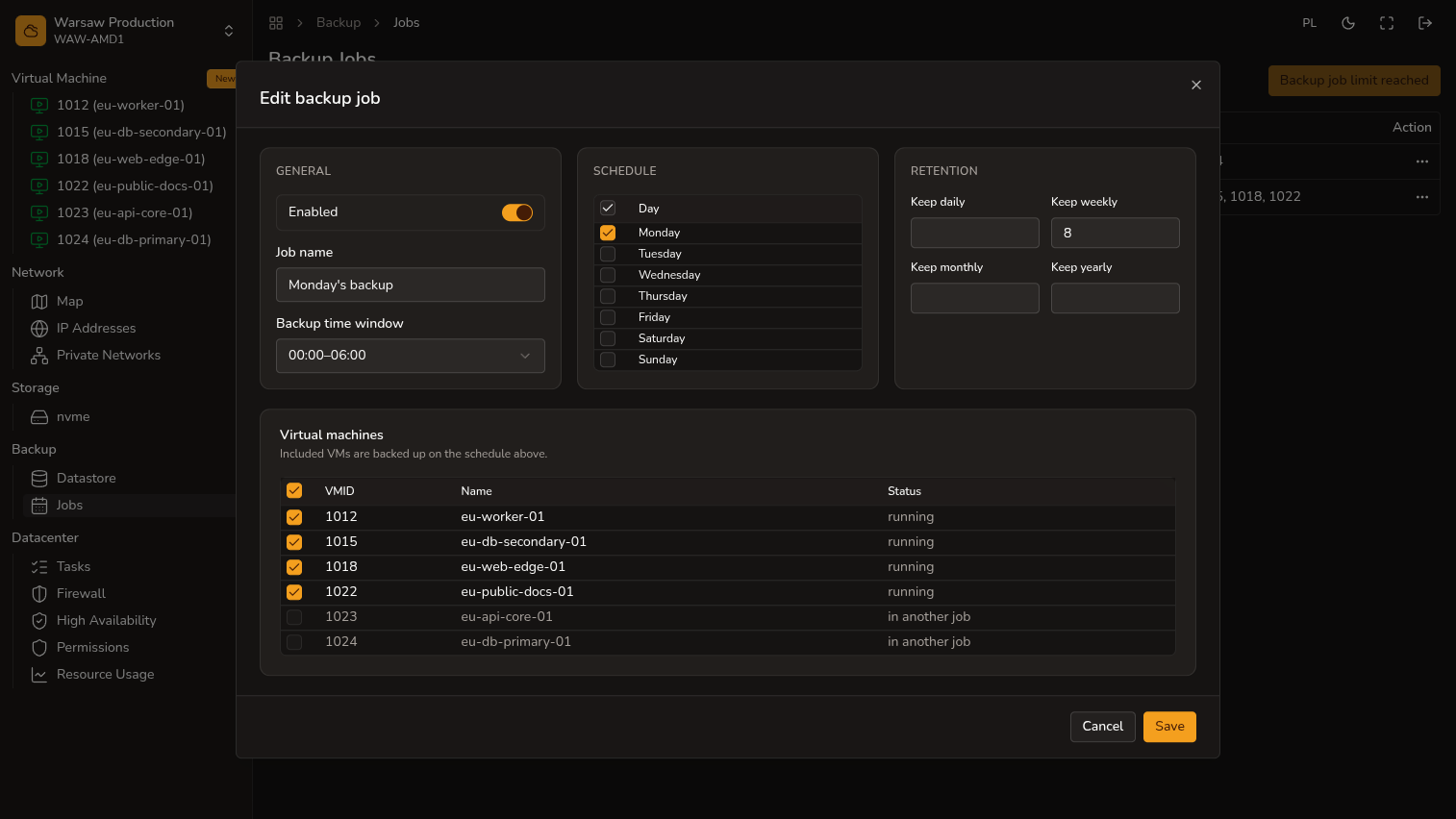
Backup → Jobs. - Click Create job or edit an existing job.
- Select VMs, weekdays, time window, and retention.
- Enable the job and Save.
- Check the warning list for VMs without a backup job.
Watch out
The default project backup job limit is 1. A backup job does not replace restore testing.