File restore
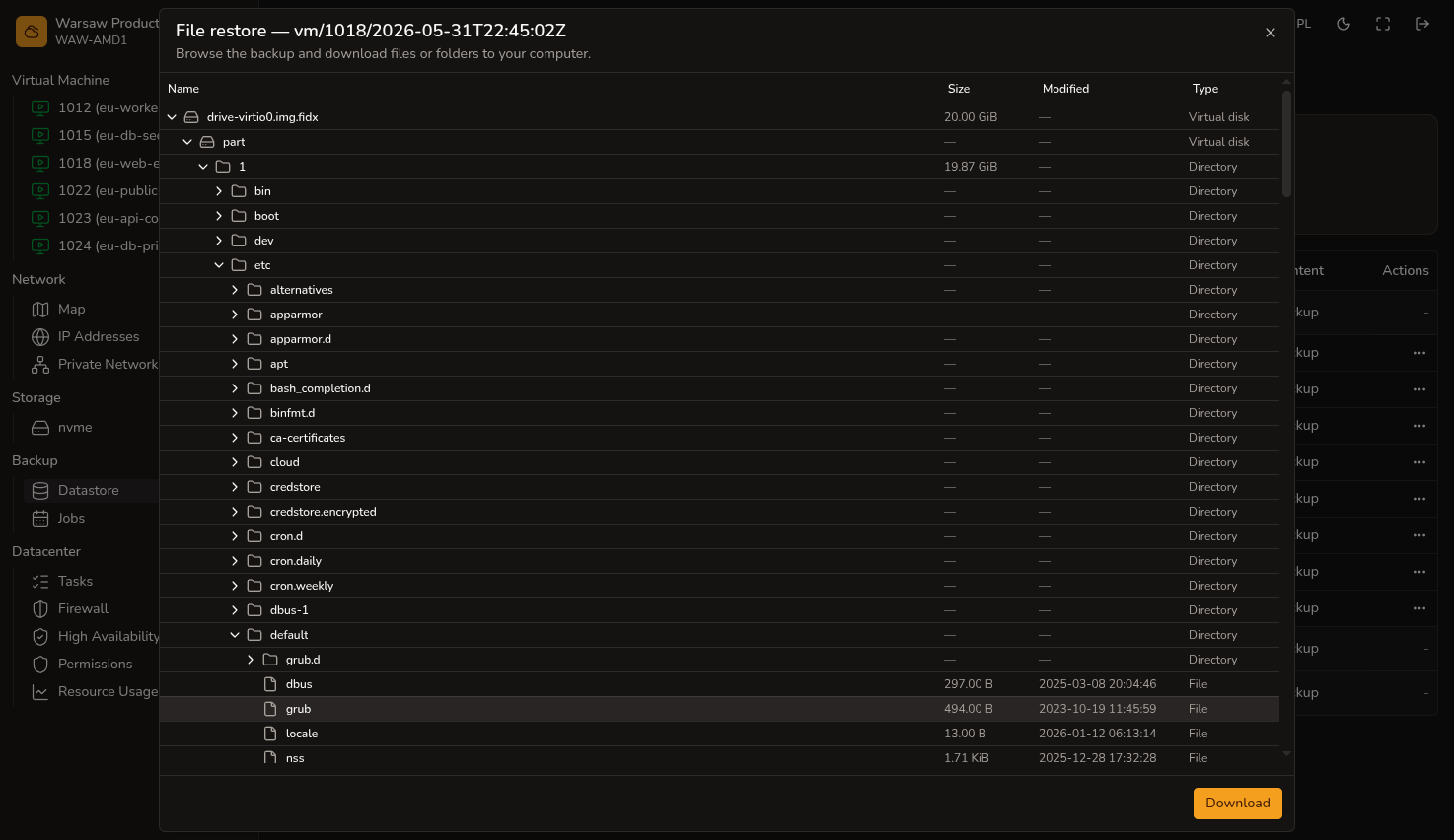
Download a file or folder from a PBS backup without full VM restore.
Before you begin
- A backup copy exists in
Backup → Datastore. - Admin or Superadmin access to the project.
Steps
- Open
Backup → Datastore. - Click File restore for the selected backup copy.
- Browse the file tree and expand folders.
- Download a single file or a folder as an archive.
Watch out
File restore does not repair the VM operating system. Use VM backups and restore for a full state rollback.